Community · August 15, 2026 · 12 min read
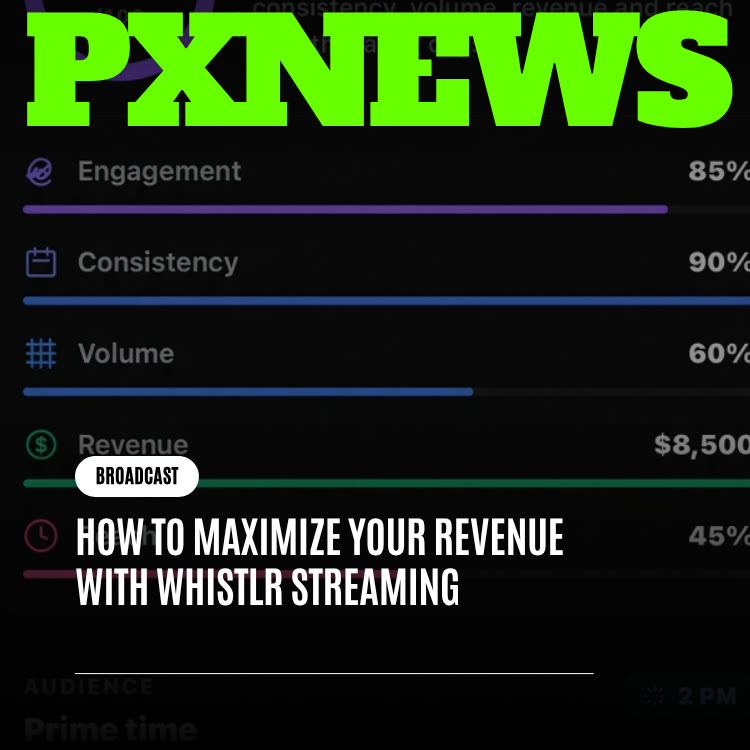
How to Maximize Your Revenue With Whistlr Streaming
Earn more from Whistlr streaming: set up payouts, price WTC Gems, add Subscription Vault and tips, run WildDraw battles, grow with Boost and read your earnings.
To earn more from streaming on Whistlr, combine several income sources instead of relying on one: WTC Gems during your lives, Subscription Vault for monthly supporters, tips for one-off thanks, and WildDraw battles for big moments. Then grow the audience that funds all of it and check your earnings data to see what is working. This guide walks through each piece, what it costs, how to set it up, and how they reinforce each other.
The Income Streams Available to Whistlr Streamers
Before you optimize anything, it helps to see the full toolkit and what each tool costs you. Whistlr publishes its fees, so you can plan with real numbers.
- WTC Gems: live gifts viewers buy and send during your stream. You set up to 15 gems, priced from $0.99 to $500 each. Whistlr's fee is 15%.
- Tips: appearing as Send a Gem in the app, tips range from $1 to $500, with presets at $2, $5, $10, $20 and $50. The fee is 15%.
- Subscription Vault: lock photos and videos behind a monthly subscription priced between $1 and $999. Whistlr's fee is 20%.
- WildDraw: one-on-one live battles where viewers send gifts to back their side, a format that turns competition into support.
Each one serves a different kind of fan. Some viewers want to react in the moment, some want to say thanks once, some want ongoing access. A streamer who offers only one option leaves the others with nothing to do.
Set Up Your Account So You Can Get Paid
Revenue tools only work once your account is ready to receive money. Do this groundwork before you focus on growth.
- Use a business account: business accounts unlock the full Business Suite, including Ads Manager and Studio Set. All Whistlr accounts are for adults 18 and over.
- Connect Stripe: payouts on Whistlr run through Stripe Connect. Your WTC Gems cannot be published until a payout account is connected.
- Get verified: business verification uses Stripe Connect with no minimum number of peers, and it unlocks Ads Manager, Business Suite and Studio Set. Review usually takes 24 to 72 hours. Creator verification requires Stripe Identity plus 20,000 peers, or recognition as a public figure. See getting verified for details.
- Raise your Account Health score: the score weighs ID verification, tax forms, product guidelines, a return policy, payout setup and content policy. Aim for the Excellent band, 90 or higher, before you push hard on growth.
Design a Gem Catalog and Goals That Fit Your Audience
Most streamers set up gems once and never look at them again. Treat your catalog like a menu you can refine.
Build a price ladder
Include a few low-priced gems, such as $0.99 and $1.99, so new viewers can participate without thinking twice. Add a middle tier around $4.99 to $9.99 for regulars. Then include one or two higher options, such as $24.99 or $49.99, for milestone moments. Choose icons from the roughly 66 available, such as the Rose, Crown and Rocket, that match your channel's personality. Our gems overview explains the setup in more depth.
Make goals about an outcome
A gems goal is most effective when it unlocks something the audience wants: a challenge, a reveal, a requested segment or a special guest on as a co-host. A bare number on its own gives viewers little reason to care.
Thank people precisely
When a gem lands, call out the person and the moment they were reacting to. Specific recognition encourages others far more than a generic thanks at the end. Mention gems once early in the stream, then let the experience do the work; constant reminders tend to make an audience tune out.
Support follows a stream people enjoy being part of. The ask matters far less than the experience.
Make WildDraw Battles Feel Like Natural Moments
WildDraw works because viewers are already paying attention and already care how you do. Used carelessly, a battle feels like a gimmick. Used well, it gives your audience a shared moment to rally around.
Pick the right opponent
Challenge creators whose style fits yours but whose audience is not identical. A well-matched rival introduces you to new viewers, and both sides get a reason to show up and back their host with gifts.
Set the stakes in advance
Announce a battle ahead of time and agree on a fun stake, such as a requested segment or a forfeit for the losing side. Plan a couple of moments in advance, but stay flexible enough to react to the chat. Keep your ask short and honest: who you are up against and why it matters.
Do not battle every stream
If every broadcast turns into a battle, viewers start to expect it and the moment loses its spark. Occasional, well-matched battles keep their impact. Our guide to WildDraw covers how battles work in detail.
Use Interactive Formats That Invite Participation
The more involved your audience feels, the more naturally support follows. Whistlr Live includes several tools built for participation.
- Co-hosts: bring up to eight co-hosts into a stream, nine people in total. Guests introduce you to their audience and give viewers more reasons to stay.
- Questions: open an "Ask me anything!" session so viewers can submit questions. Answering them is a natural moment for gems to arrive.
- Polls: let the audience choose the next segment, the next topic or the stakes of a challenge.
- Pinned comments: pin a comment to keep the stream's goal, topic or Vault mention visible.
- WildDraw battles: challenge another creator to a one-on-one battle. Both audiences rally behind their side with gifts, which can lift support for both of you.
- Moderators: appoint up to 20 moderators and use hidden words, muting and comment hiding to keep chat welcoming. A pleasant room keeps viewers longer.
Stream from the setup that suits the moment
You can go live from the Whistlr app on your phone, or use Whistlr Studio, ETAPX's separate creator and streaming app. Studio Set gives verified business accounts an RTMP server URL and stream key so you can broadcast from an encoder when you want a more produced show. For a look at quicker, more spontaneous lives, read Live Streaming on Whistlr Just Got a Boost.
Build Recurring Income With Subscription Vault and Tips
Gems reward individual moments. Subscription Vault rewards the relationship. It turns your most loyal viewers into monthly supporters who get access to photos and videos you keep behind the Vault.
Price for your audience
Common tiers include $4.99, $9.99, $14.99 and $24.99 a month, and the full range runs from $1 to $999. A lower price brings more people in; a higher one suits deeper or more frequent content. If you change your price later, it only applies to new subscribers, so existing supporters are not surprised.
Give the Vault a clear reason to exist
Use it for something viewers cannot get on the free stream: behind-the-scenes clips, extended cuts, tutorials, or early looks at what you are working on. Mention it during streams when it fits naturally, not as a recurring pitch.
Leave a door open for tips
Some people will never subscribe but would happily send a one-time thank-you after a helpful stream or post. Tips cover that gap. Remember that both tips and Vault payments are non-refundable, so describe clearly what supporters are paying for.
Grow the Audience That Funds Everything Else
Every revenue tool depends on people showing up. Growth on Whistlr comes from consistency and smart promotion.
Stream on a rhythm people can learn
Pick a few regular time slots and give them several weeks to settle in before deciding whether they work. Announce upcoming lives with a whistle on Chattr, a story or a short Mini, and use the planning calendar in your business dashboard to map lives alongside launches and campaigns. Two reliable streams a week tend to do more than five unpredictable ones.
Turn highlights into Minis
Short clips from your lives introduce you to people who have never seen your streams. Whistlr's rankers weigh watch time, engagement and how quickly content is shared, and the first hour after posting matters, so publish your best moment while it is fresh.
Use Boost and ads when you are ready
Boost lets you put budget behind a post with a goal of more profile visits or more website visits. In the app, you can boost from $5 to $500 a day for 1 to 30 days; on the business web dashboard, boosts start at $25. For larger campaigns, Ads Manager includes a Flow placement that shows a banner in the live feed. See our Boost overview to get started.
Read Your Numbers and Do More of What Works
Guessing is expensive. Whistlr gives you several places to check what is actually driving income.
- WTC Gems analytics: Gross Volume, WTC Gem Revenue, Supporter Rate, Average Gem Value and Top Supporters show how your gem catalog is performing.
- Earnings Report: found in Account Center for business accounts, it breaks earnings down by source, including gems, tips and subscriptions, and shows pending and available balances.
- Professional dashboard insights: views, interactions, follower growth and most active times help you pick stream times and content.
Test a single variable
Try a new start time, a different gem price ladder or an earlier WildDraw battle, then compare the next few weeks against your usual results. A trend that repeats over multiple lives tells you more than any single great or terrible night, and when something clearly works, repeat it.
Common Streaming Revenue Mistakes to Avoid
Most streamers who struggle to earn are not missing a feature. They are making a handful of avoidable mistakes that quietly cap their income.
- Turning gems on before payouts are ready: if your payout account is not connected, viewers simply cannot send gems. Finish setup before you announce a big stream.
- A catalog with no entry point: if your cheapest gem is expensive, casual viewers never take the first step. Always include at least one low-priced option.
- Asking instead of hosting: repeated requests for gems make a stream feel transactional. Mention support once, then focus on being worth watching.
- Ignoring the rules: content that breaks the Community Guidelines can be removed, and serious problems can lead to enforcement on your account. Read the guidelines once and keep them in mind.
- Inconsistent scheduling: irregular lives make it hard for viewers to build a habit around you, which reduces repeat support.
- Never checking the data: without looking at your earnings by source, you cannot tell whether a change helped or hurt.
- Forgetting the viewer side: it helps to understand how supporters think about gifting. Our companion guide, Learning How to Maximize the Most of Your WTC on Whistlr, explains gems from the viewer's point of view.
Fixing even two or three of these usually does more for income than any new tactic, because it removes friction from the support your audience already wants to give.
Frequently Asked Questions
How do streamers make money on Whistlr?
Streamers earn through WTC Gems sent during lives, tips and Subscription Vault memberships. WildDraw battles add another way for viewers to support with gifts during a live.
What fees does Whistlr take from streaming income?
Whistlr's fee is 15% on WTC Gems and 15% on tips. Subscription Vault carries a 20% fee. Payouts are handled through Stripe Connect.
Do I need to be verified to earn from live streams?
You need a connected payout account before your gems can be published, and business verification unlocks tools such as Ads Manager, Business Suite and Studio Set. Business verification has no minimum peer count and usually takes 24 to 72 hours.
How should I price my WTC Gems?
Offer a ladder: a few low-priced gems such as $0.99 or $1.99 so anyone can join in, a middle tier for regulars, and one or two higher options for milestones. You can publish up to 15 gems priced between $0.99 and $500.
Can I offer exclusive content to my most loyal viewers?
Yes. Subscription Vault lets you lock photos and videos behind a monthly subscription priced between $1 and $999, and Whistlr's fee is 20%. Mention it during streams when it fits naturally.
Where can I see how much I earned from streaming?
Business accounts can open the Earnings Report in Account Center to see earnings by source, including gems, tips and subscriptions. WTC Gems analytics in Creator Studio add detail such as Supporter Rate and Top Supporters.
Maximizing streaming revenue on Whistlr is not about one trick. It is a system: an account that is ready to get paid, a gem catalog people can join at any level, battles and special moments that feel natural, a Vault for your closest fans, steady growth, and a habit of checking your numbers. Build those pieces together and each one makes the others stronger.